Upload Consolidated Account Statements and get a complete, presentation-ready
view of one or many portfolios in minutes — XIRR, holdings, dividends, cash flow, and more.
Built for individual investors and families tracking their own folios, and for financial
advisors, wealth managers, and family offices managing a full client book.
🔒 Your CAS data is processed locally — never uploaded to a server.
Trial requires a registered email to activate — no card required. Every plan, from a single investor to a full advisory firm, is licensed per registered email.
Everything needed to turn a stack of CAS PDFs into a client-ready portfolio review.
CAS
Upload & auto-parse
Drop in a CAS PDF from CAMS, KFintech, or MF Central. Folios, transactions, and holdings are extracted automatically — no manual entry.
∞
Multi-folio, multi-client
Consolidate CAS files and folios into one dashboard, or keep every investor's portfolio separate and switch between them instantly. Folio limits depend on plan — from a household of 2 to a full client book.
NAV
Live NAVs & indices
One-click refresh pulls today's fund prices, alongside live NIFTY 50 / SENSEX for quick market context.
XIRR
Accurate return metrics
XIRR and cash-flow-aware return calculations, not simplified approximations — the numbers hold up in a client meeting.
PDF
Export any report
Every report exports as a polished, print-ready PDF on paid plans — share it as-is with a client or attach it to a review email.
🔒
Runs locally, licensed per firm
Standalone desktop app — portfolio data stays on your machine. Licensed and activated per advisor or firm.
A favourite use case
One place to see your whole family's mutual fund holdings
Most households have investments scattered across separate CAS statements — yours, your spouse's,
your parents', maybe your kids'. Analyzer+ lets you drop in every family member's CAS and see the
whole household as one consolidated portfolio, or switch between individuals in a click — all
processed locally, without any statement ever leaving your device.
✓
Combine CAS files for every family member into one net-worth view
✓
Compare growth, XIRR, and allocation across individuals side by side
✓
Export a single consolidated report, or one per person
11 reports, one dashboard
Every angle on a portfolio an advisor or investor actually needs — not just a single summary page.
Investor Summary
One-page snapshot: fund-type mix, top performers, dividends, and year-wise cash flow.
1-Day Gain
How the portfolio moved since yesterday's prices — fund-by-fund and total.
Portfolio Analytics
Investing discipline and cash-flow trends by financial year.
Fund Aggregation
Current holdings fund-by-fund, with sector-wise allocation.
Fund Type Mix & Suggested Allocation New
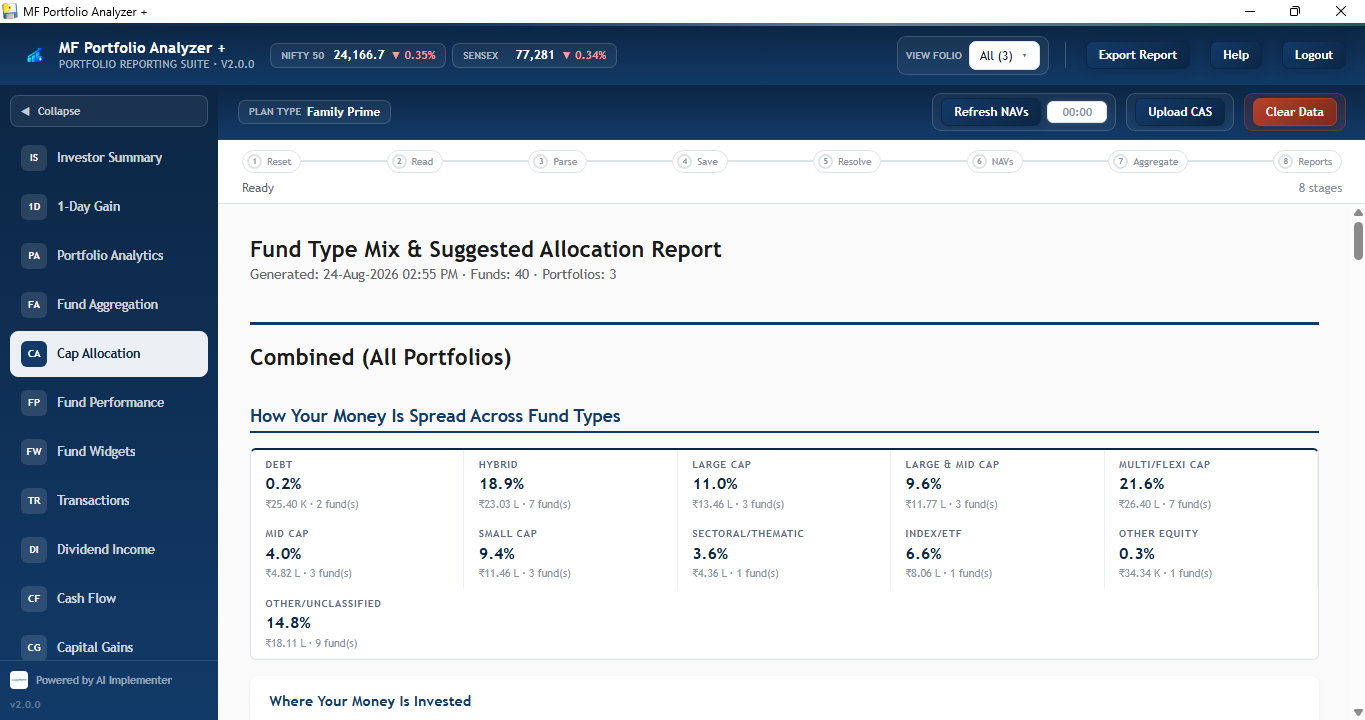
Your current mix by fund type — Debt, Hybrid, Large & Mid Cap, Multi/Flexi Cap and more — compared against a Conservative, Balanced, or Aggressive model allocation.
Fund Performance
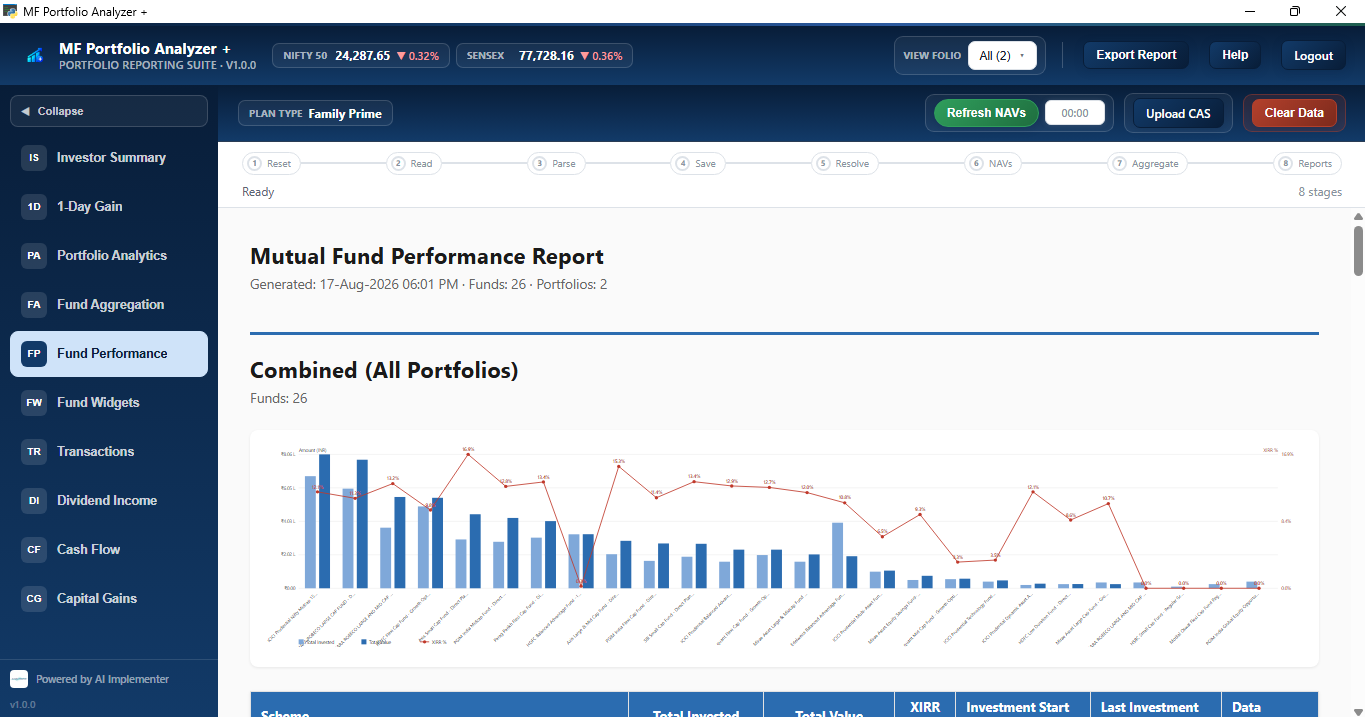
Growth-over-time chart for every fund held.
Fund Widgets
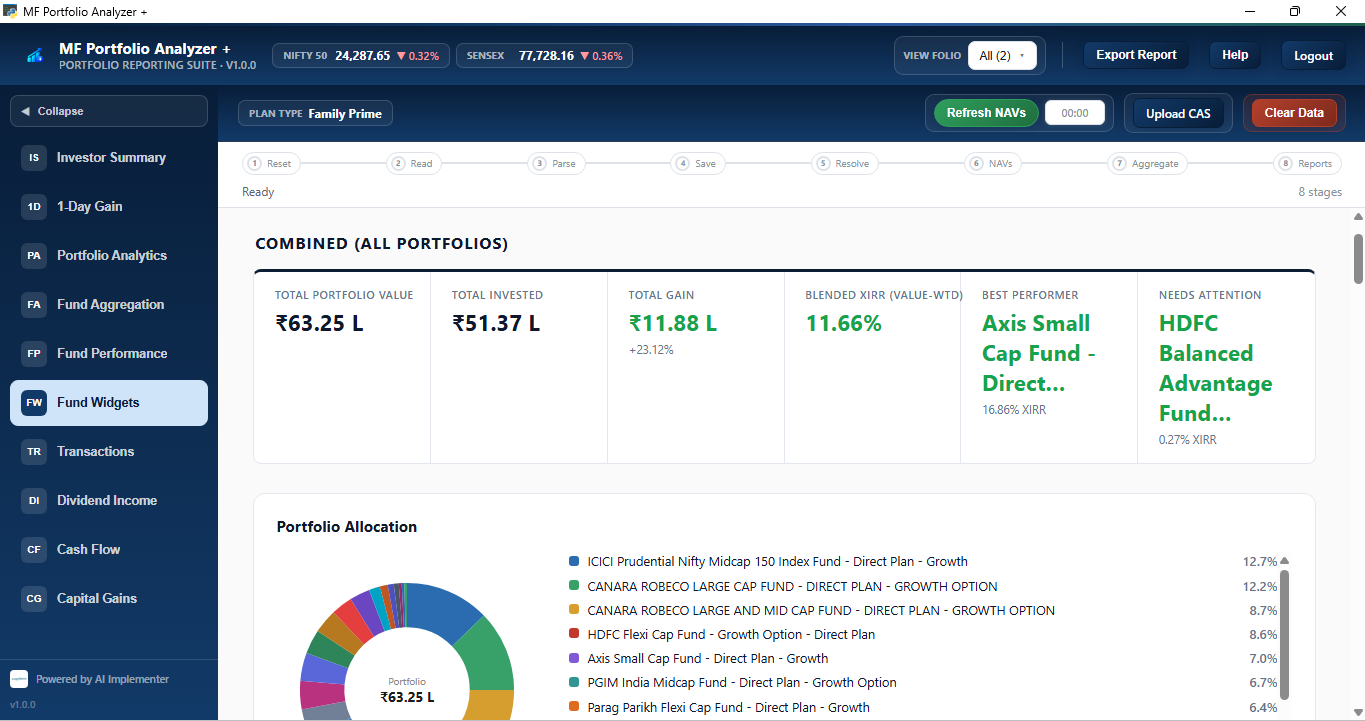
Visual, card-based view of every holding for a fast scan.
Transactions
Full buy/sell/switch/SIP ledger across every statement.
Capital Gains
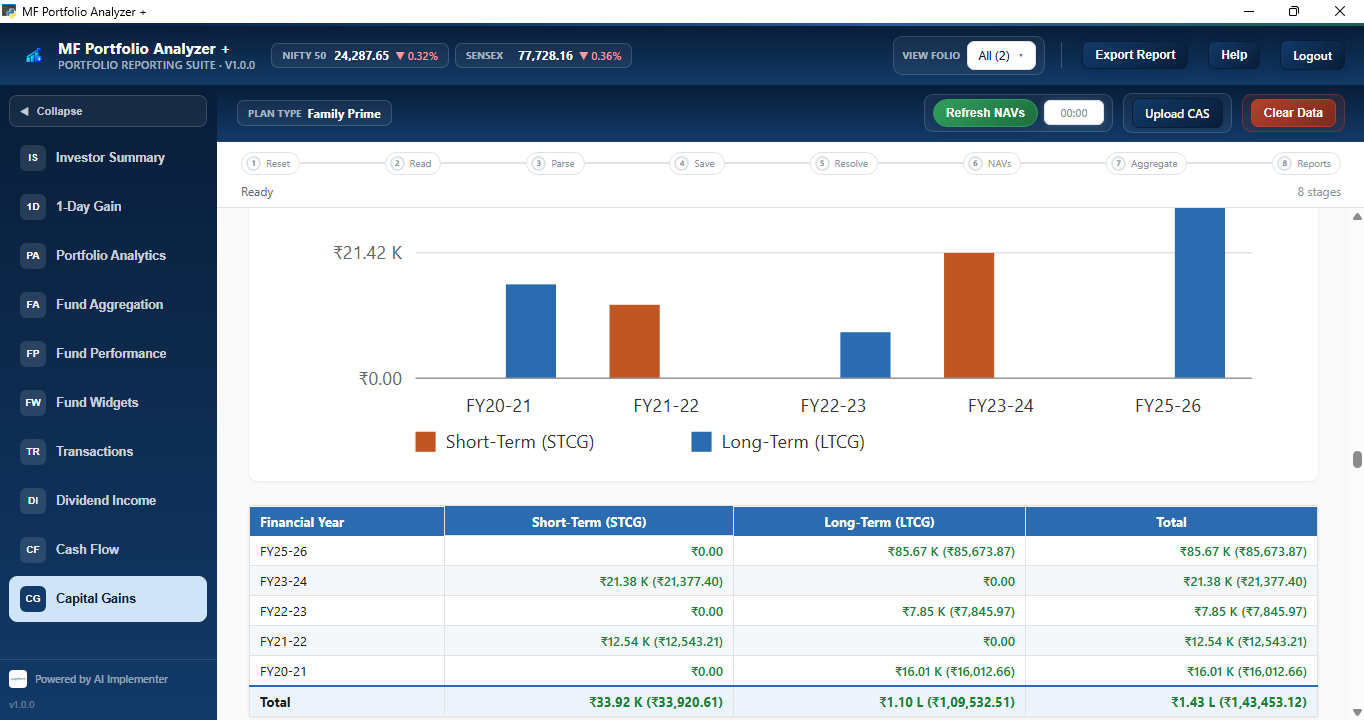
FIFO-matched short & long-term gains on every redemption, broken down by financial year and fund — filterable by FY.
Dividend Income
Payouts by year, fund, and month — tracked separately from capital gains.
Cash Flow Consolidation
Month-by-month money in vs. money out, for easy reconciliation.
Watch the demo
A 5-minute walkthrough covering CAS upload, XIRR calculation, holdings breakdown, and exporting a client-ready report — start to finish, no narration needed.
See it in action
Real report screens from Analyzer+, generated from an actual CAS upload — not mockups.
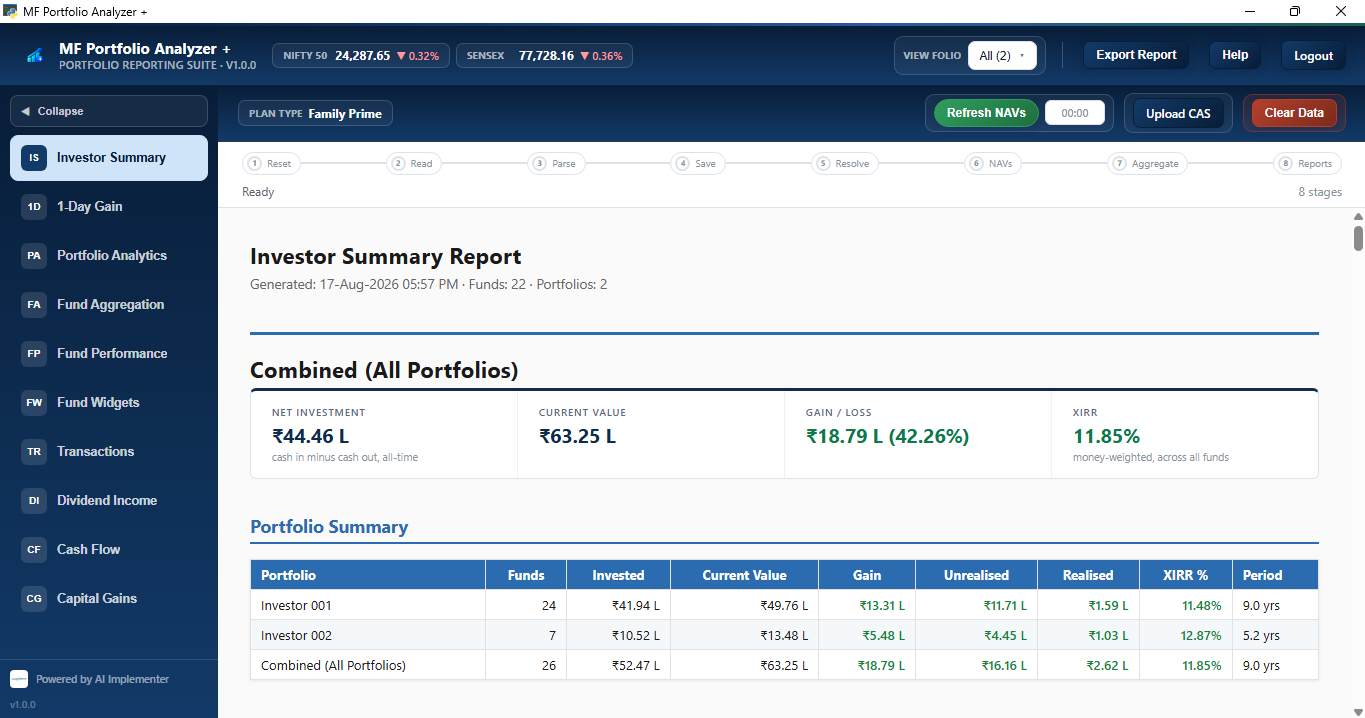
Investor Summary Report
One-page combined view of net investment, current value, gain/loss, and XIRR — per investor and combined across all portfolios.
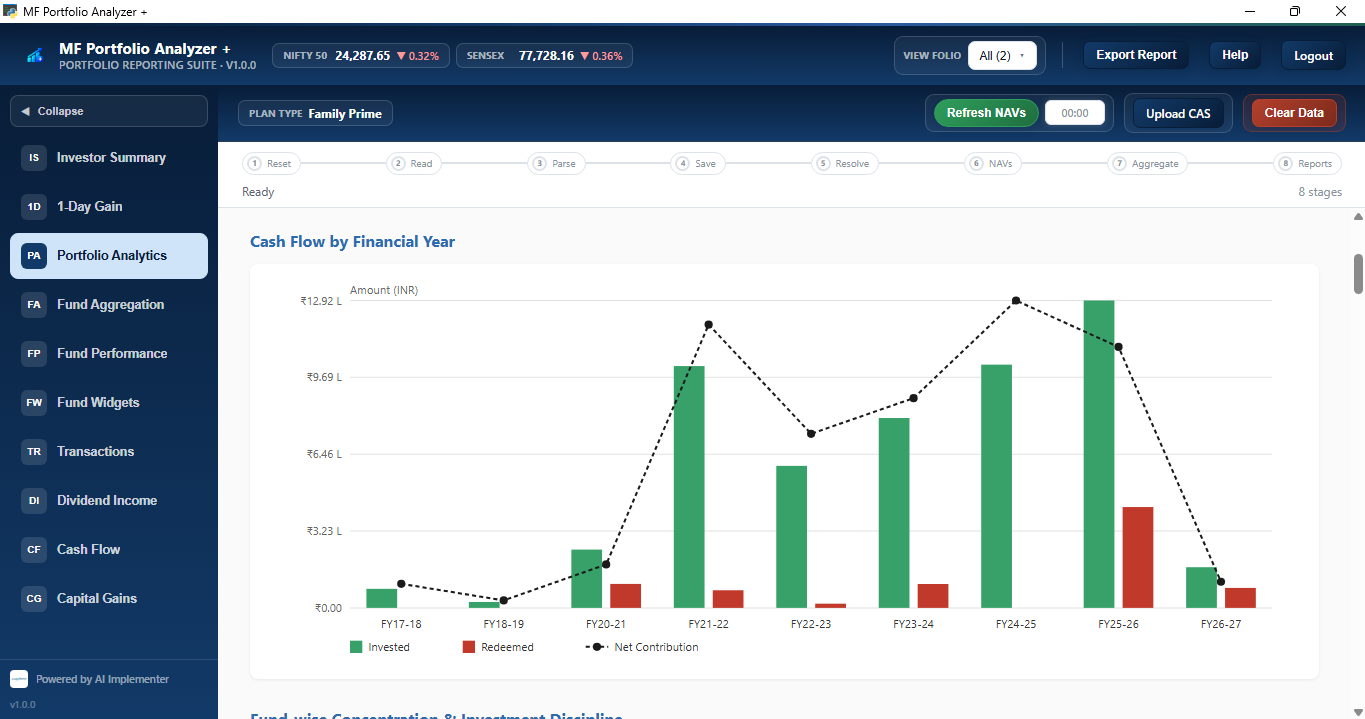
Portfolio Analytics
Year-by-year investing discipline — invested vs. redeemed amounts and net contribution trend, at a glance.
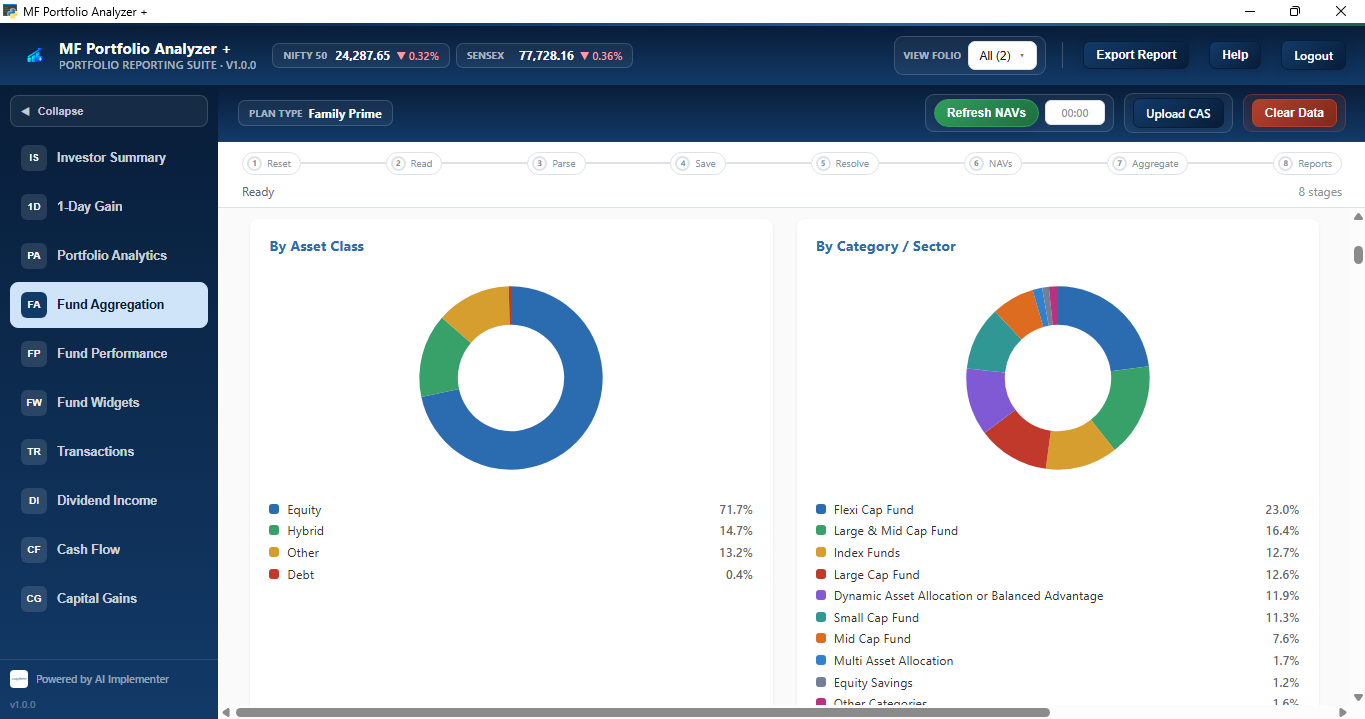
Fund Aggregation
Holdings rolled up by asset class and by category/sector, so overlap and concentration are obvious immediately.
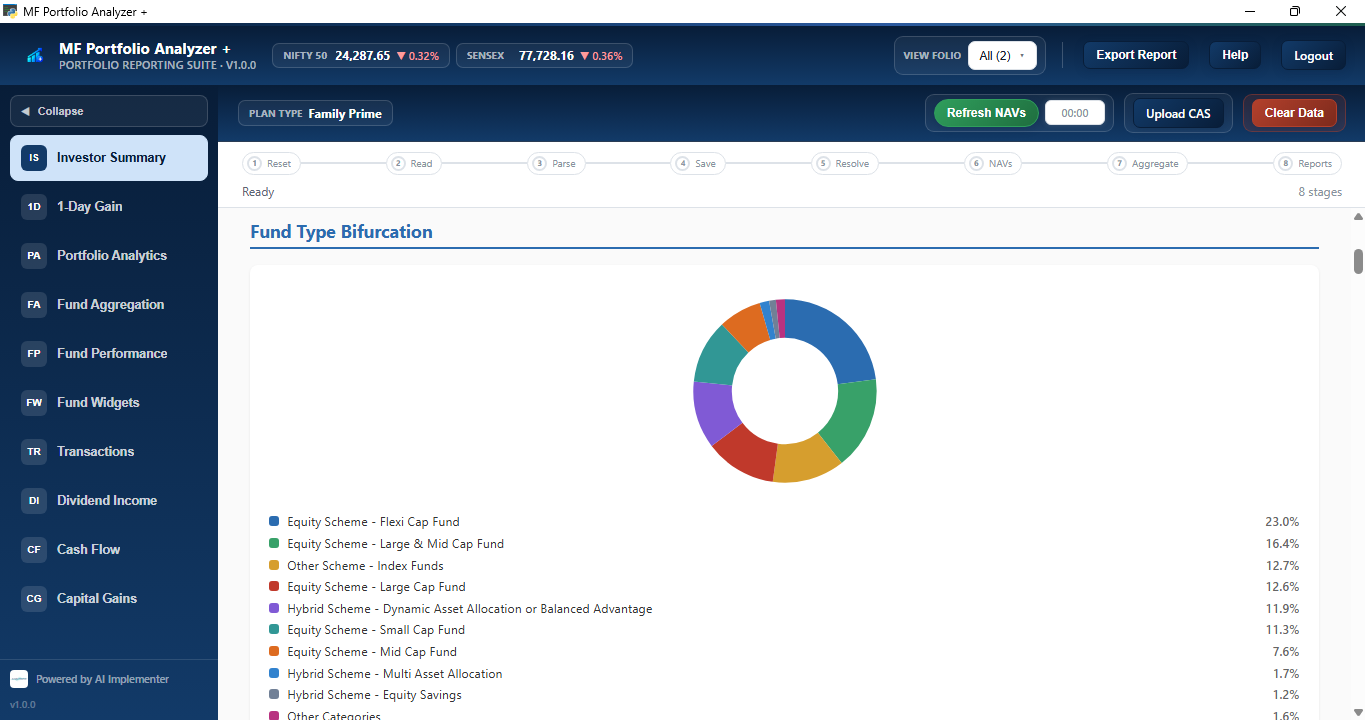
Fund Type Bifurcation
A clean split of the portfolio across fund types — flexi cap, large & mid cap, index, hybrid, and more.
Fund Type Mix & Suggested Allocation
Your current mix by fund type, benchmarked against a Conservative, Balanced, or Aggressive suggested model — with a target-vs-actual view for each.
Fund Performance
Invested vs. current value and XIRR for every single fund, plotted side by side across the whole portfolio.
Fund Widgets
A fast-scan card view — total value, blended XIRR, best performer, and the fund that needs attention.
Capital Gains
FIFO-matched short-term and long-term gains, broken down by financial year and totalled automatically.
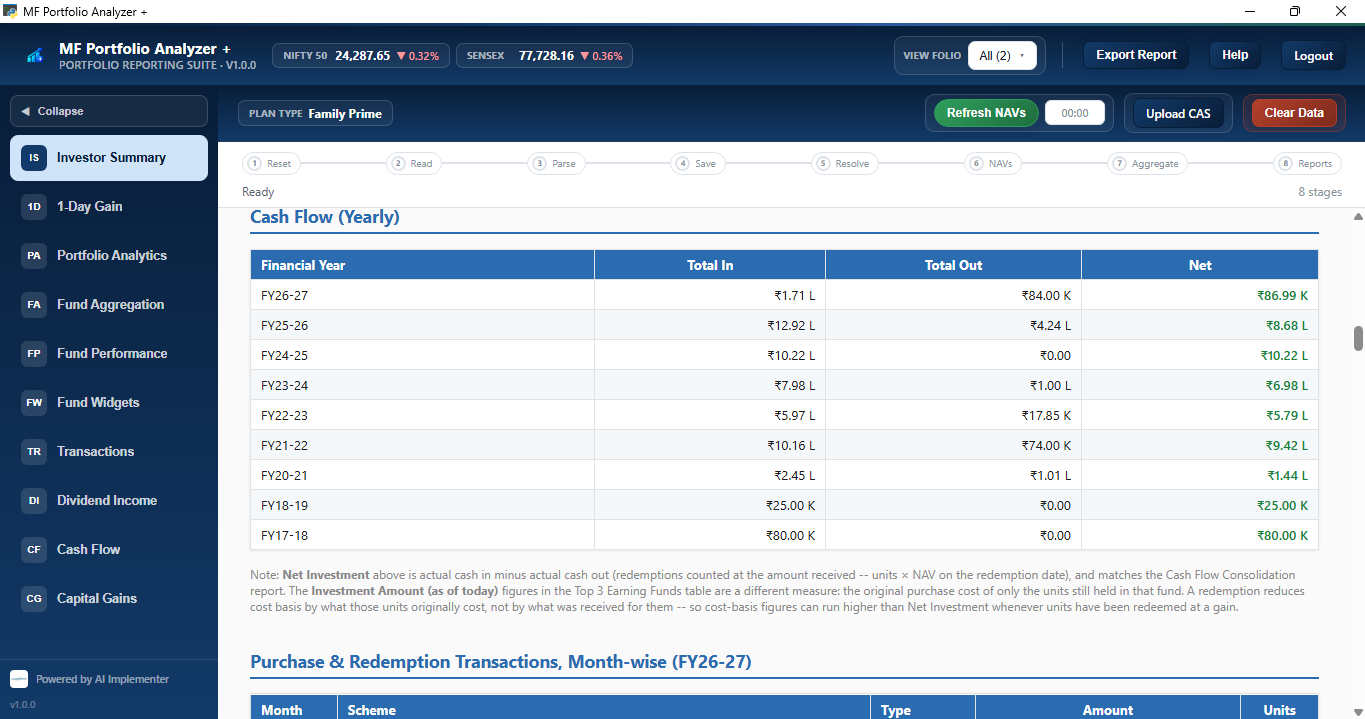
Cash Flow (Yearly)
Total money in vs. money out, year by year, with a monthly transaction ledger just beneath it.
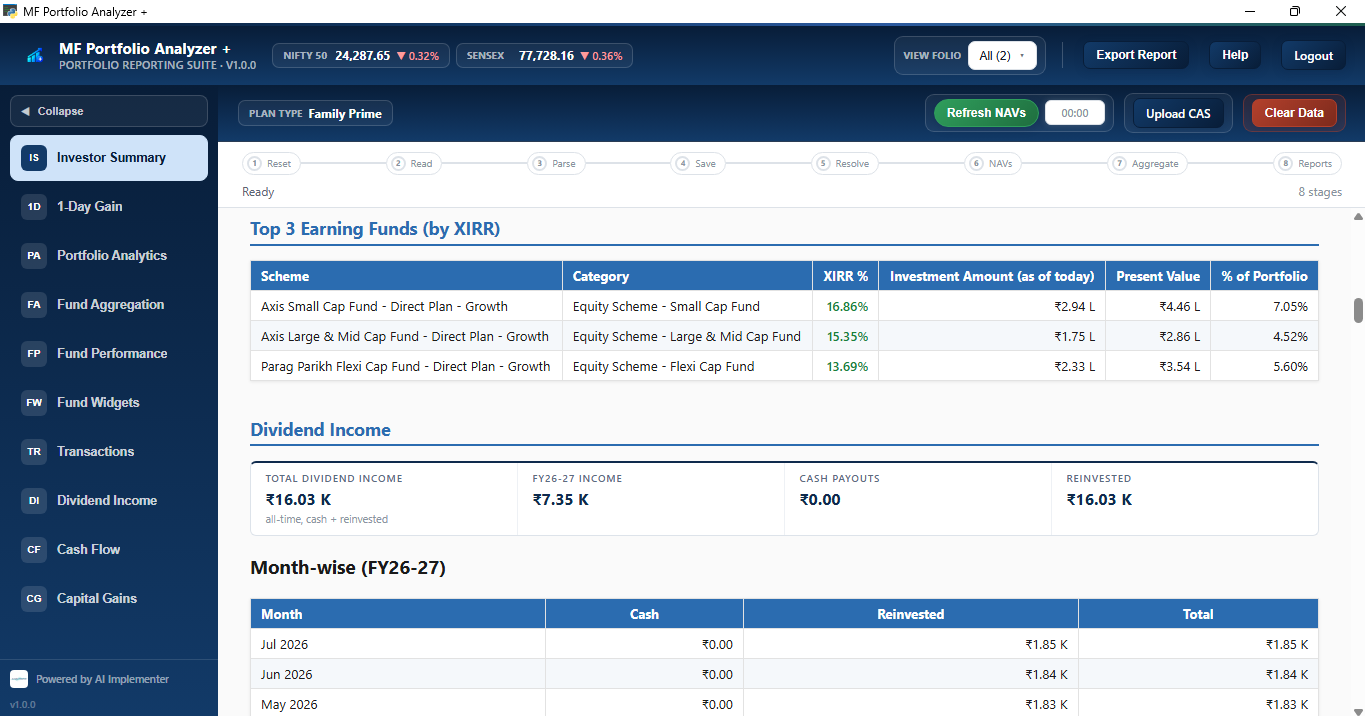
Dividend Income
Top-earning funds by XIRR, plus dividend payouts split into cash received and reinvested, month by month.
How it works
From statement to shareable report in four steps.
1
Upload CAS
Add a Consolidated Account Statement PDF for any client or portfolio.
2
Auto-parse & match
Folios, transactions, and fund identities are extracted and matched automatically.
3
Explore 11 reports
Every report renders live, filterable by folio or client.
4
Export & share
Download any report as a polished PDF for a client review.
Privacy, by design
Your CAS statement never leaves your device
A CAS has your PAN, folio numbers, holdings, and contact details on it. That's not something to hand to a server. Analyzer+ was built so it never has to.
🔒
No upload, ever
Your CAS PDF is parsed on your own machine (or in your browser for the free version). It is never sent to us or any third-party server.
⚡
Minimal, one-time network use
The only online step is fetching current NAVs to value your holdings — your CAS itself is never part of that call. Once a report is generated, you can browse it offline; refresh NAVs again only when you want updated prices.
👤
Only Email activation required
Only email activation is required to try the free version. The licensed edition activates locally — it doesn't sync your portfolio to an account in the cloud.
📄
You decide what's shared
The only data that ever leaves your device is a PDF report you deliberately export — nothing is transmitted in the background.
System requirements
Windows compatibility
MF Portfolio Analyzer Plus ships as a native Windows installer. Here's what it needs to run.
OS
Windows 10 & 11
Verified on Windows 10 (version 2004/20H2 or later) and Windows 11, 64-bit only. Not tested on Windows Server editions or 32-bit Windows.
🌐
WebView2 runtime
Requires the Microsoft Edge WebView2 Runtime, which powers the app's interface. It comes pre-installed on Windows 11 and is delivered via Windows Update on current Windows 10 — on an older, un-updated machine it may need a quick separate install.
📦
One-click installer
Distributed as a single MFPortfolioAnalyzerPlus-Setup.exe. No Python, no dependencies to install manually — it's a self-contained desktop app.
🔑
No admin rights needed
Installs and runs entirely under your Windows user account — nothing requires elevated or administrator privileges.
Known Windows 11 quirk: on some machines, an unrelated OS-level bug (tied to update KB5019980) in Windows' "Suggested Actions" clipboard feature can briefly spam the terminal or freeze the window when a text field gains focus. Analyzer+ automatically applies the same workaround Windows Settings itself uses when you turn Suggested Actions off — no action needed on your end, and it doesn't affect app functionality.
Plans built around investor folios
Every plan runs the same standalone Windows app. What changes is how many investor folios you can hold at once — from your own household to a full client book.
Solo — Trial, Family, Family Prime: 1 seat, billed flat per quarter·Advisor — Advisor, Advisor Prime, Enterprise: 2+ seats, billed per seat per quarter
For yourself & your household
Start here
Free · 7 days
Trial
Try it free for 7 days — explore every report on one investor folio, and export your Investor Summary as PDF.
✓All 11 reports viewable on screen
✓PDF export for Investor Summary
✓1 investor folio
✓Registered email activates the license — no card required
—Other 10 reports are view-only — upgrade to export as PDF
All plans require a registered email address to activate — this is what the license is issued and bound to on your machine. Investor folio limits are enforced at import: once a plan's limit is reached, adding a new folio requires deleting an existing one first, which permanently clears that investor's data and reports.
Already know your plan?
Download the installer now — activate later with your registered email once your plan is set up.
Trial requires a registered email to activate — no card required. Every plan, from a single investor to a full advisory firm, is licensed per registered email.
☰
Full plan comparison & restrictions
View all details▼
Trial
Family
Family Prime
Advisor
Advisor Prime
Enterprise
Price
Free
₹500 / qtr
₹700 / qtr
₹2,500 / seat / qtr
₹5,000 / seat / qtr
Contact us
Billing cadence
7 days, one-time
Quarterly
Quarterly
Quarterly
Quarterly
Custom
Seats
1
1
1
2 min, add anytime
2 min, add anytime
Custom
Price at minimum seats
Free
₹500 / qtr
₹700 / qtr
₹5,000 / qtr
₹10,000 / qtr
—
Investor folios (hard cap)
1
2
5
30, fixed regardless of seat count
50, fixed regardless of seat count
50+
Folio enforcement
Enforced at import — once the plan's limit is reached, adding a new folio requires deleting an existing investor first (this permanently clears that investor's data and reports)
Custom
Reports viewable
✓ All 11 reports, on screen, on every plan
PDF export
Investor Summary only
✓ All 11 reports
License activation
Registered email, no card required for Trial
Registered email, per seat
Custom
Trial → paid upgrade
✓ Existing folio data carries over — no wipe when upgrading from Trial to any paid plan
Typical buyer
Anyone evaluating
Solo investor / couple
Bigger family
Small advisory firm
Larger client book
Very large firms
Same engine, your brand
White-label, out of the box
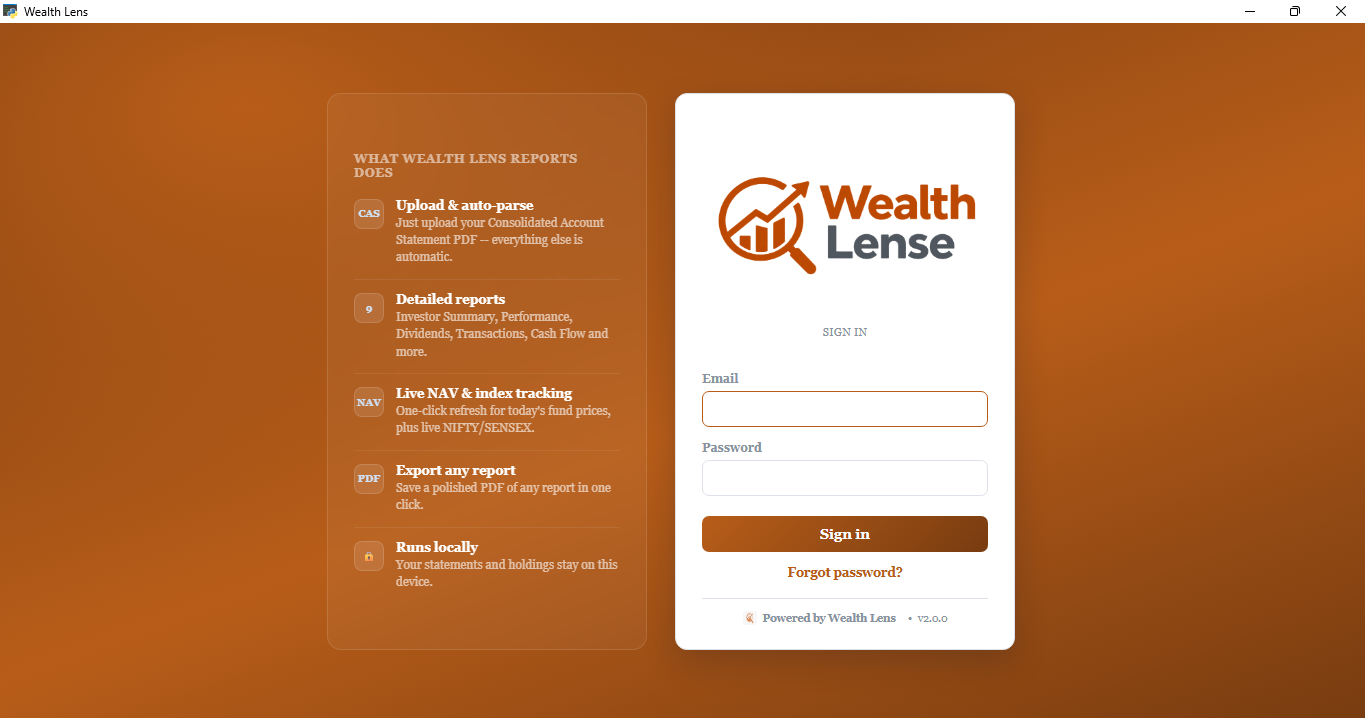
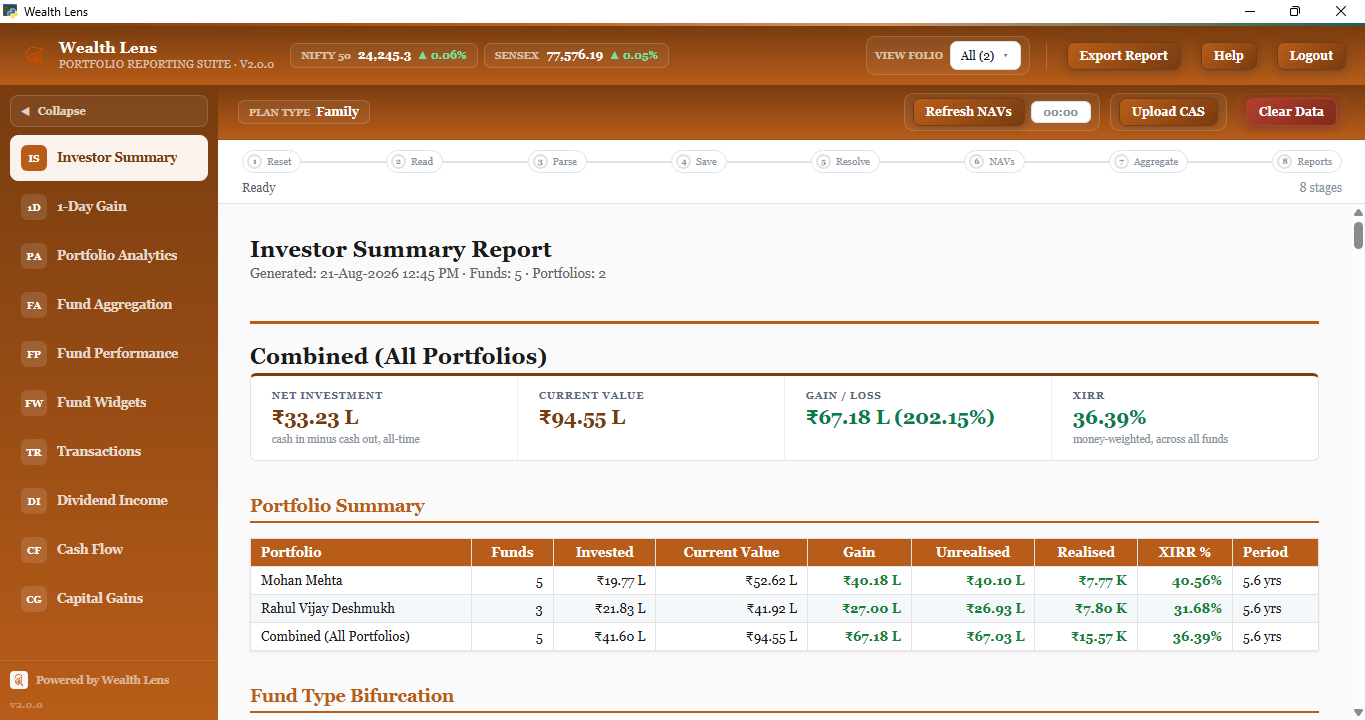
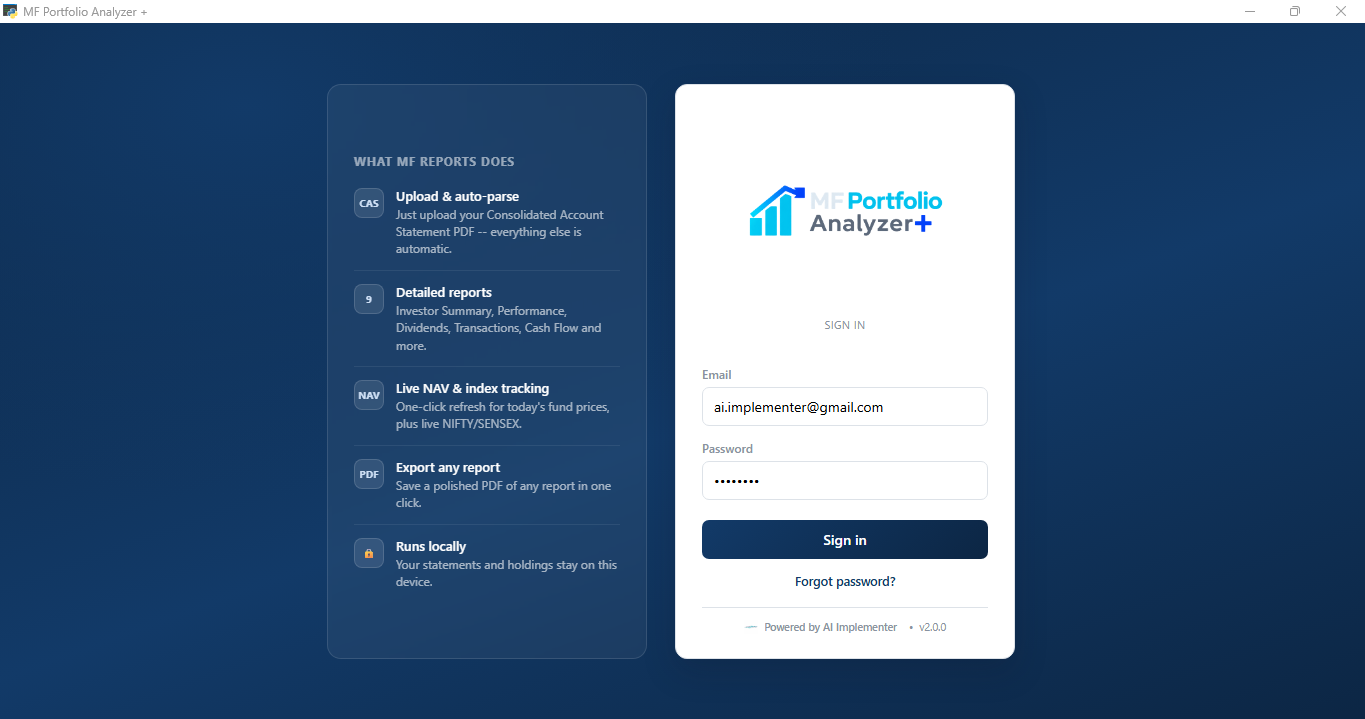
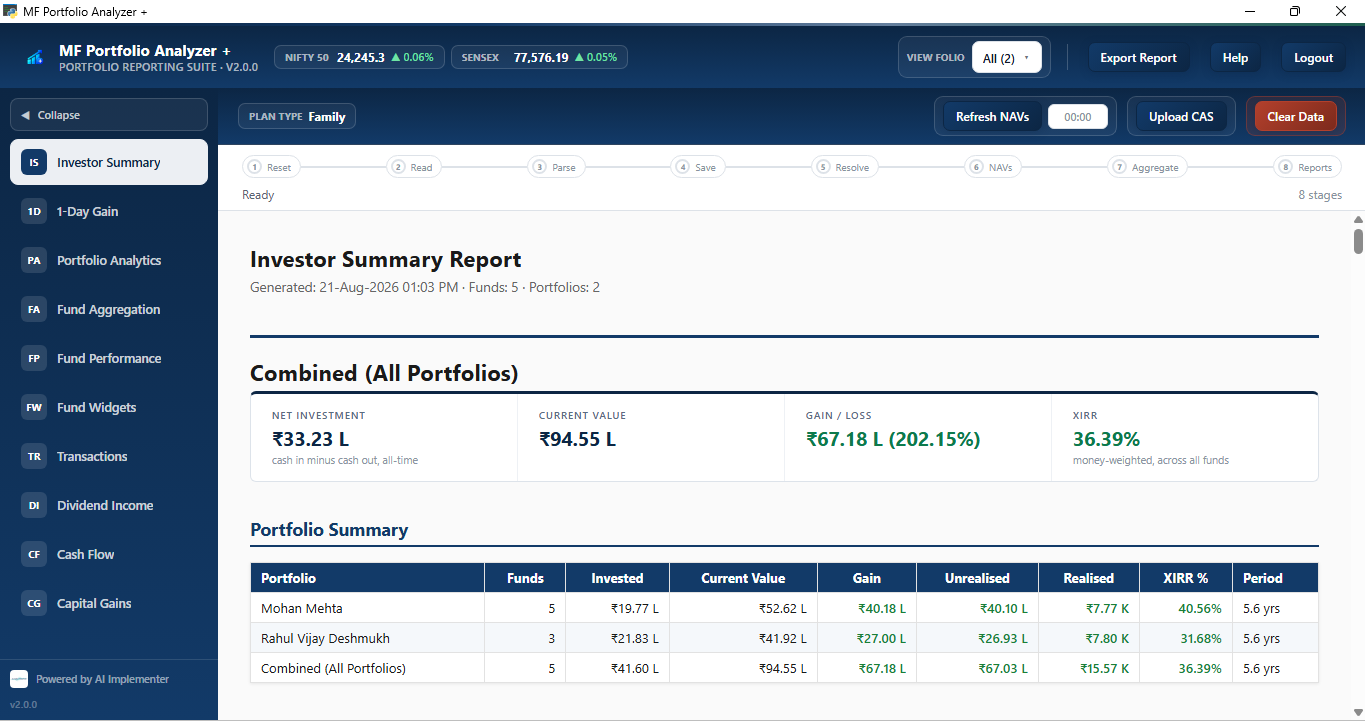
Your app name, your logo, your color palette — the same reports and engine underneath. Three real rebrands of this exact app, shown below.
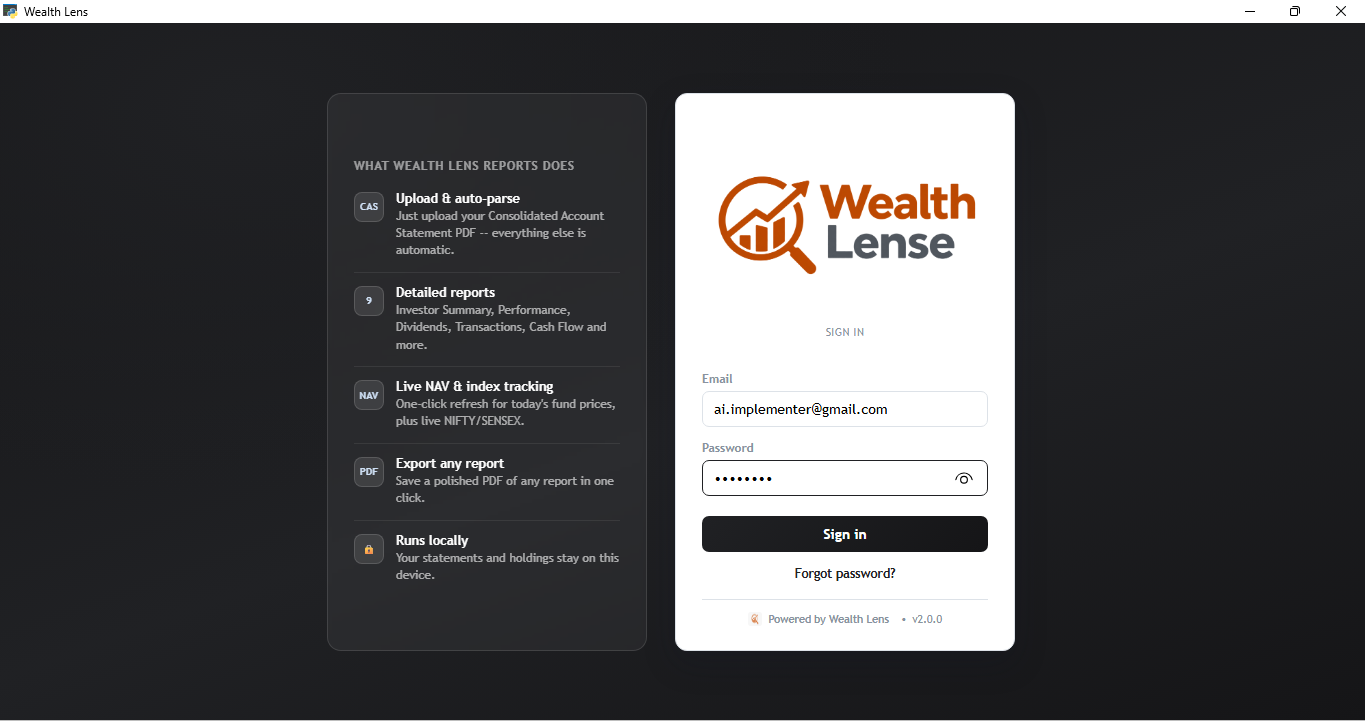
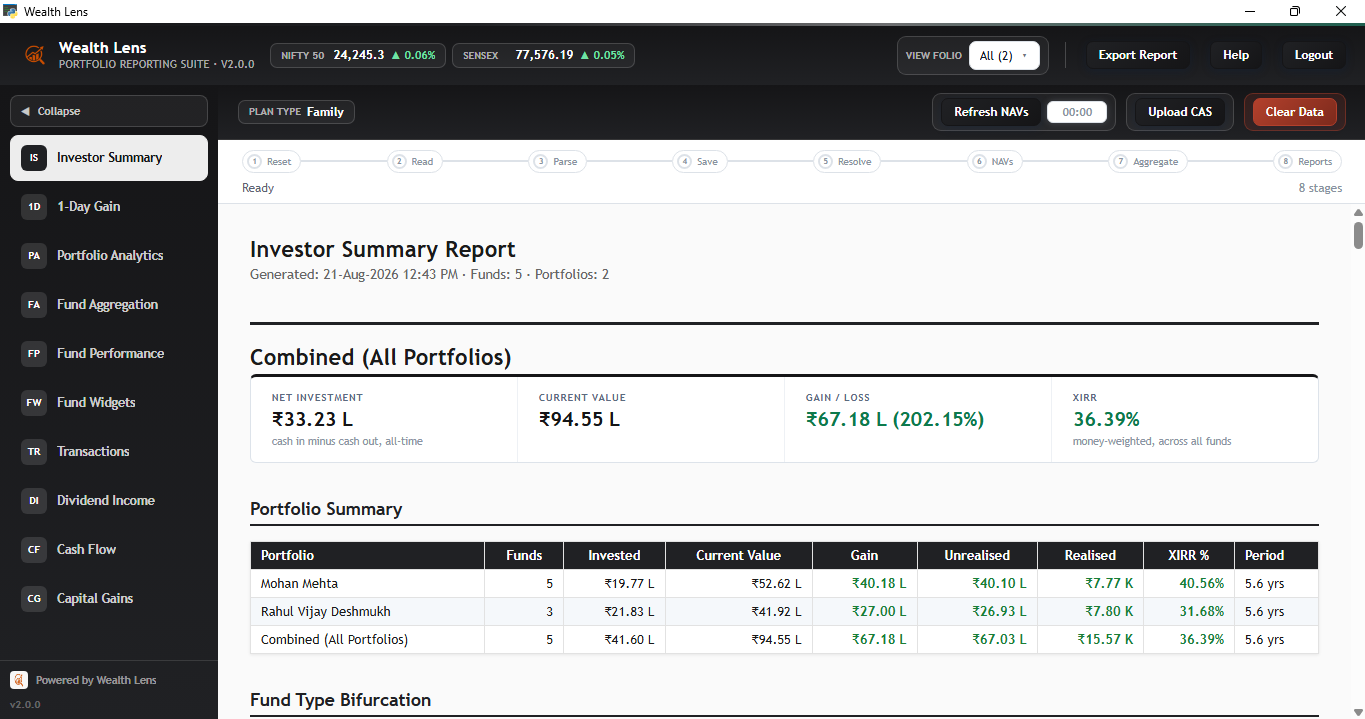
“Wealth Lens” — navy theme
New name, new logo, its own dark navy palette. Same Investor Summary, XIRR, and report engine underneath.
Same “Wealth Lens” build — amber theme
One codebase, a completely different color identity applied on top — no rebuild required.
MF Portfolio Analyzer+ — the default build
What you get out of the box under the AI Implementer brand, before any white-label customization.
For AMCs, RIAs, wealth platforms & fintechs
Looking for a white-label edition, or want to partner with us?
Analyzer+ can be rebranded and embedded into your own advisory, RIA, or fintech offering —
or integrated as a component of a larger platform. If you're exploring a white-label
deployment, a reseller arrangement, or any other partnership, we'd like to hear from you.
Thank you, we've received your enquiry. We'll get back to you shortly.
Before you install
Windows 10/11 (64-bit) only — not available for macOS or Linux.
MF Portfolio Analyzer+ is a new desktop app and isn't yet widely recognized by Microsoft, so Windows may show a
"Windows protected your PC" warning the first time you run the installer.
This is expected and safe — here's how to proceed:
1Download the installer using the button below, then locate it in your Downloads folder.
2(Recommended) Right-click the downloaded file → Properties → check "Unblock" at the bottom → OK. This removes the warning before you even run it.
3Double-click to run the installer. If you still see the blue "Windows protected your PC" screen, click More info → Run anyway.
Trial requires a registered email to activate — no card required. Every plan, from a single investor to a full advisory firm, is licensed per registered email.
Questions before installing? Reach out here — we're happy to walk you through it.